
ToneDial
Tone Dial is an iPhone application that can be used to dial your iPhone contacts on a land line. Simply put the speaker of the iPhone near the microphone of the land line and select a contact to dial. Tone Dial will produce a DTMF tone for each digit in the contact number which should be recognized by the land line telephone system, resulting in dialing your contact on the line.
Tips
- If dialing appears to be erratic and does not always complete a call, try changing the tone timings. Specifically try increasing the Inter Tone Time and the Tone Time. The defaults are around 0.1 seconds for each, but can be signficantly increased if necessary. You can also shorten the times to speed up dialing if your local exchange can handle faster dialing reliably.
- Another cause of erratic dialing is that the volume of the tones coming out of the speaker on the iPhone is too low to be correctly understood by the telephone system. Increase the volume by pressing the up volume button on the side of the phone. Sometimes the volume can be too high, causing distortion from the small speaker in the iPhone, and the telephone system will have trouble interpreting the digits. Experiment with differing volumes.
- If your contacts begin with + Country code and you need to remove the country code to dial on a land line then select the “Dial Country Exit Code” option and in that view set your Local Country Code, and then under that change the Trunk Prefix to a blank ( i.e. no number). Turn on the switch in the Trunk Prefix line and it will then convert all numbers that start with + Country Code to a blank. See example at the bottom of the page.
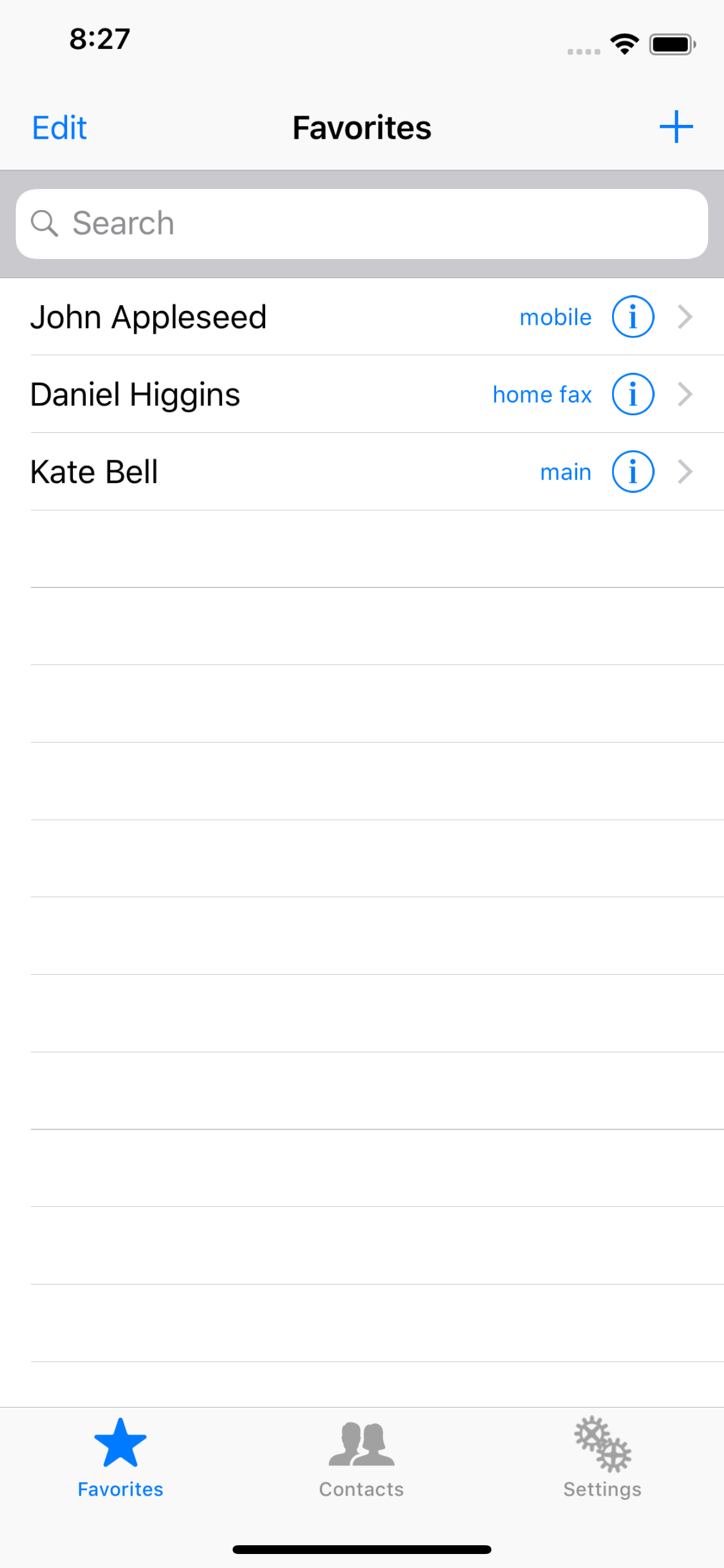
Favorites
The Favorites tab is used exactly as it is used in the regular Phone application that ships with the iPhone. Contacts from the main contact application can be added to the favorites view by pressing the “+” in the upper right. Once the + has been pressed a specific number for a contact can be selected and that contact will appear in the Favorites view along with that phone number type - iPhone, mobile, home, work etc. Alternatively, numbers can be dialed directly from the Contacts view by selecting the second Tab.
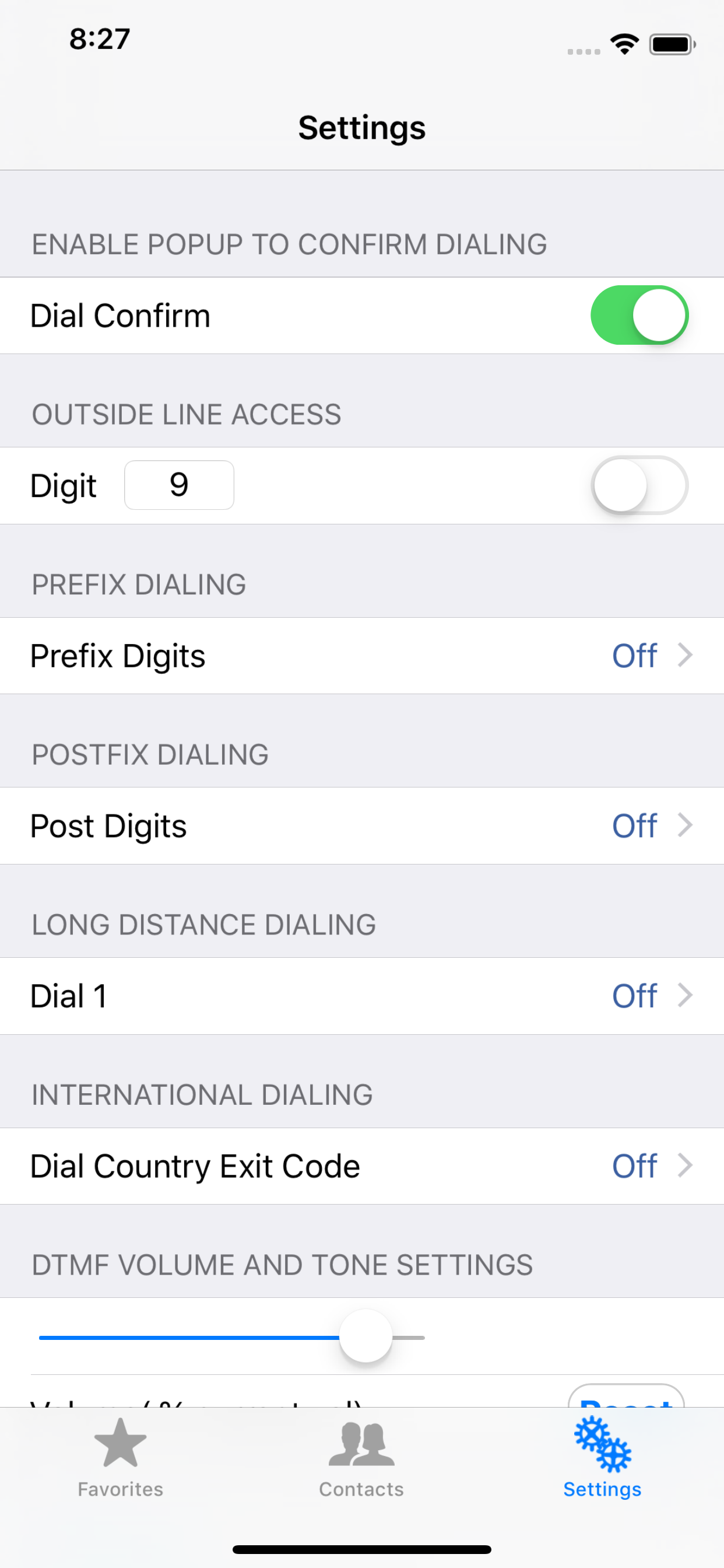
Settings
To access Settings click the two gear icon on the third tab at the bottom right.
Dial Confirm
A popup occurs to confirm dialing before the digits are actually dialed
Digit
This is generally used to dial a 9 to get out past a company PBX system to the central office switch. The digit ( or digits ) dialed can be changed in the text box, and can be enabled or disabled by the slide switch. A comma inserts a 1 second delay.
Prefix Digits
These are arbitrary digits that can be inserted into the dialed number at the start, just after the 9 is dialed ( if enabled ). Both Prefix Digits and Dial Nine can include commas for one or more delays.
Post Digits
These are arbitrary digits that can be inserted into the dialed number at the end, just after the number is dialed. This number can include commas for one or more one delays.
Dial 1
Depending on the format of numbers in your contacts you may or may not have a 1 before the area code ( in North America ), but the land line may require a 1 to be dialed first for calls outside the local area code. Use these settings to specify the local area code(s) and whether 1 should be dialed for numbers outside the local area code(s).
To access Settings click the two gear icon on the third tab at the bottom right. There is also a setting under Dial 1 to explicitly remove a preceding 1 if your iPhone contacts include the 1 for local area codes, but the land line will not dial local calls with the 1 present. Tone Dial tries to decipher the type of number by looking for parenthesis around the area code - (212) for example. If the iPhone contacts do not contain parenthesis around area codes that might inhibit Tone Dial’s ability to correctly interpret the number and area code. Any new numbers added on the iPhone itself will include parenthesis around the area code, but if the contacts are imported from elsewhere the parenthesis could be missing. Try re-entering the number from the iPhone itself if there are dialing issues.
Dial Country Exit Code
Under this setting are options to convert the “+” at the start of an international number into the country Exit Code for the country you are in. Additionally it is possible to convert the + country code into a Trunk Prefix digit for dialing within a country ( for example to convert +44 into 0 for dialing in the country), or to simply remove the + country code. See example at bottom of page.
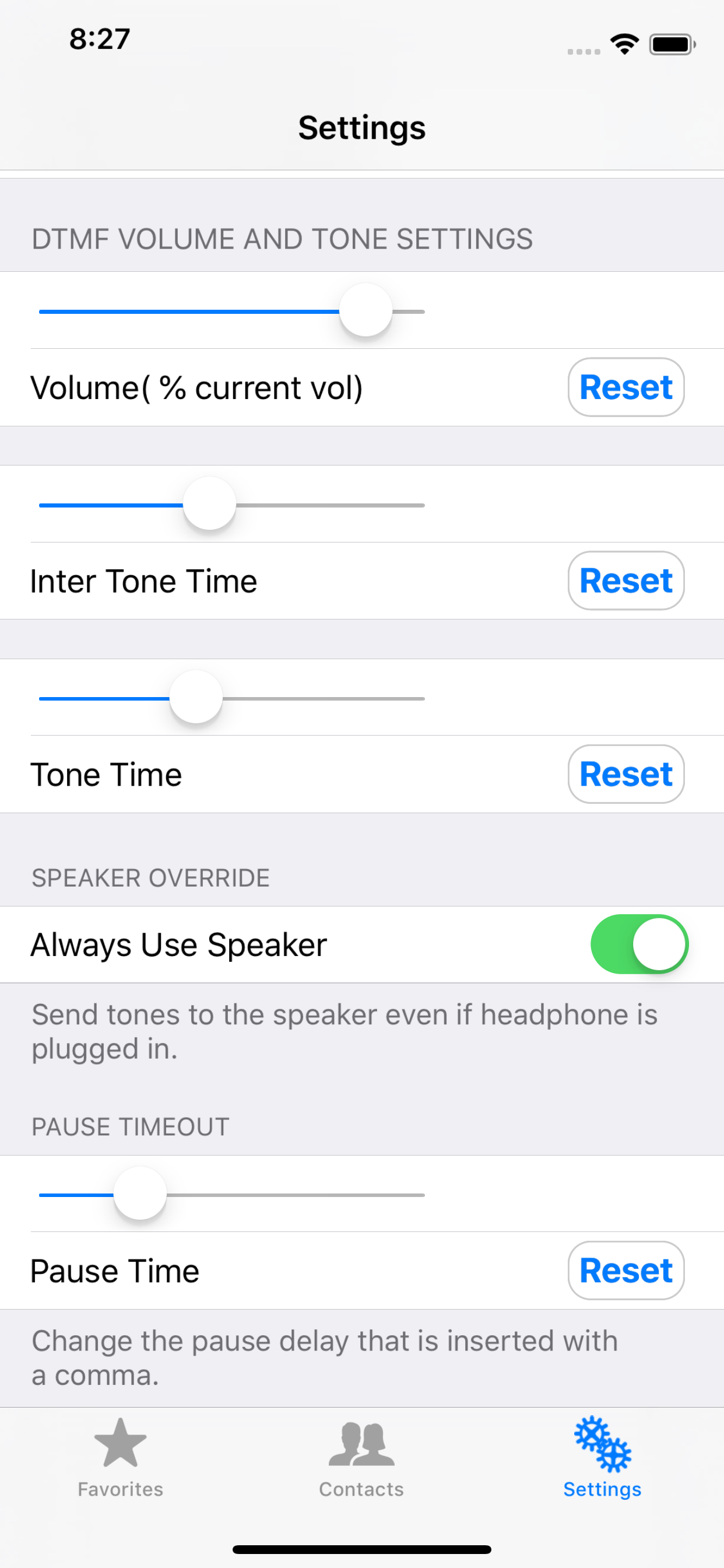
DTMF Volume and Tone Settings
These settings allow changing the duration of the DTMF tones, and the amount of the delay between tones. Values range from about 20 ms to 1.5 seconds. The volume can be adjusted down from the current volume set by the volume controls on the side of the iPhone, but the volume cannot be increased above the current settings set with the volume controls on the phone.